Corporate actions event workflow
Sole designer at Smartstream. Research and prototype testing with six client organisations.
Context
Operators at banks and custodians handle hundreds of dividends, maturities and elections at once, each with its own deadline. I redesigned the workflow around what needs action next. The design was delivered ahead of schedule.
Problem
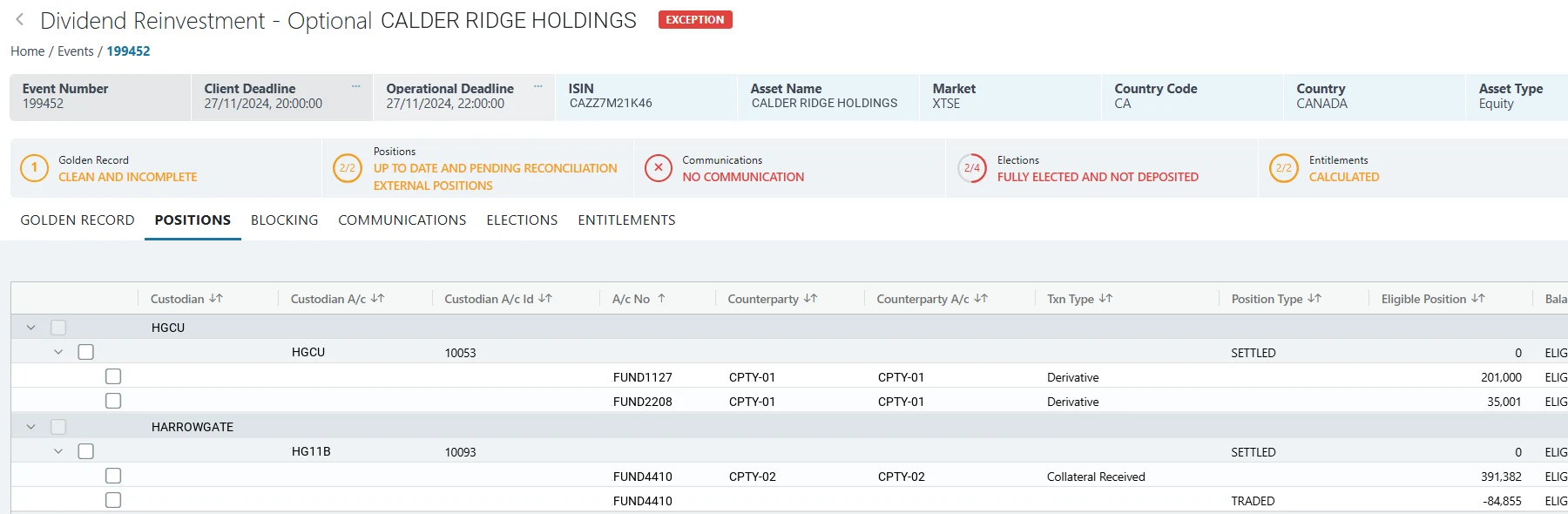
The old screen was one flat, side-scrolling table. Deadlines sat in a strip above it and statuses ran off the right edge. Navigation was split across event details, statuses and filters, so operators filtered by hand to find what needed them. Managers couldn’t see the state of an event without opening it.
Research
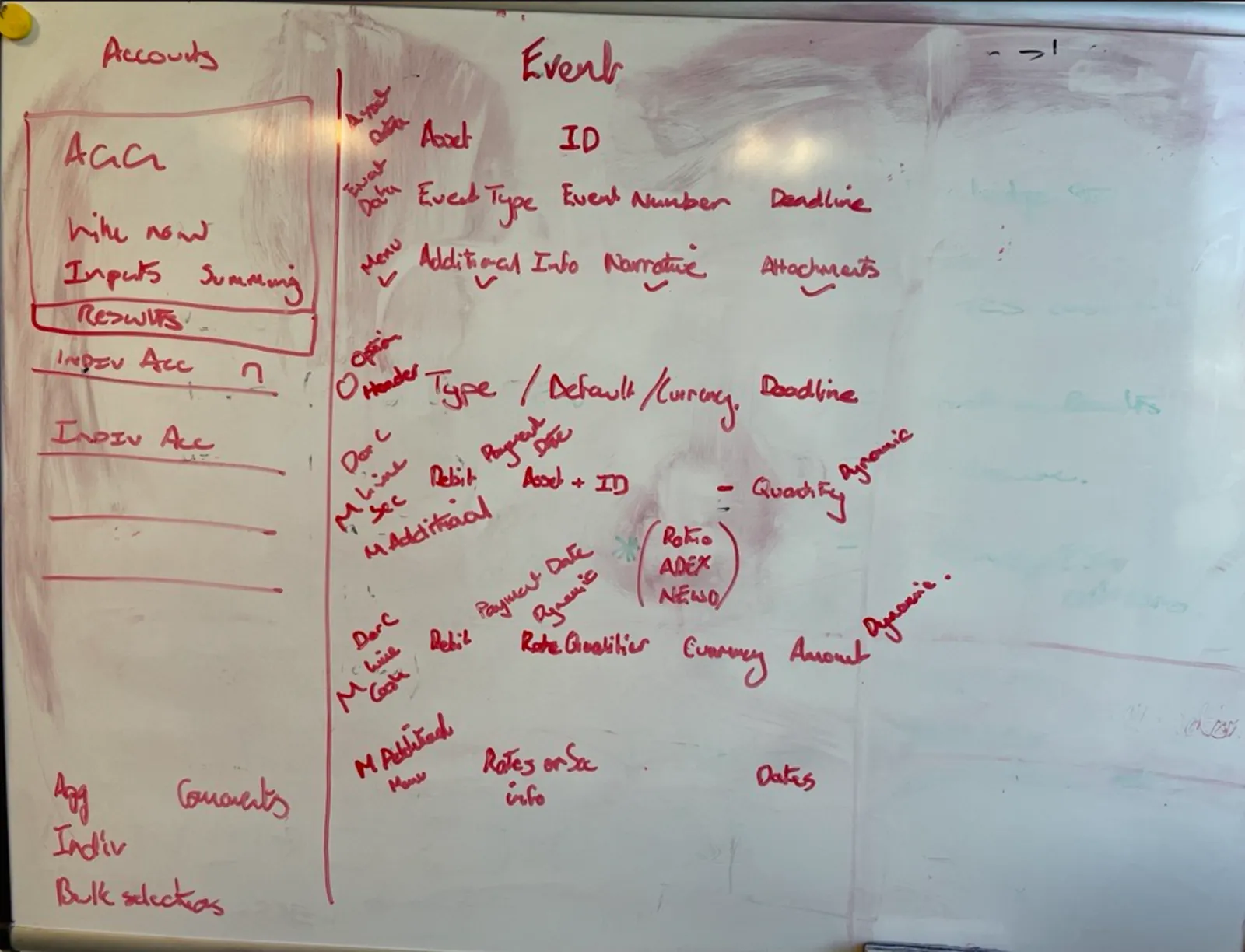
I ran Smartstream’s first structured user research: interviews, observation and usability testing with those six organisations. It changed the brief, from adding features to prioritising work. Operators wanted status and deadlines in front of them before any search.
Decisions
Grouping by custodian
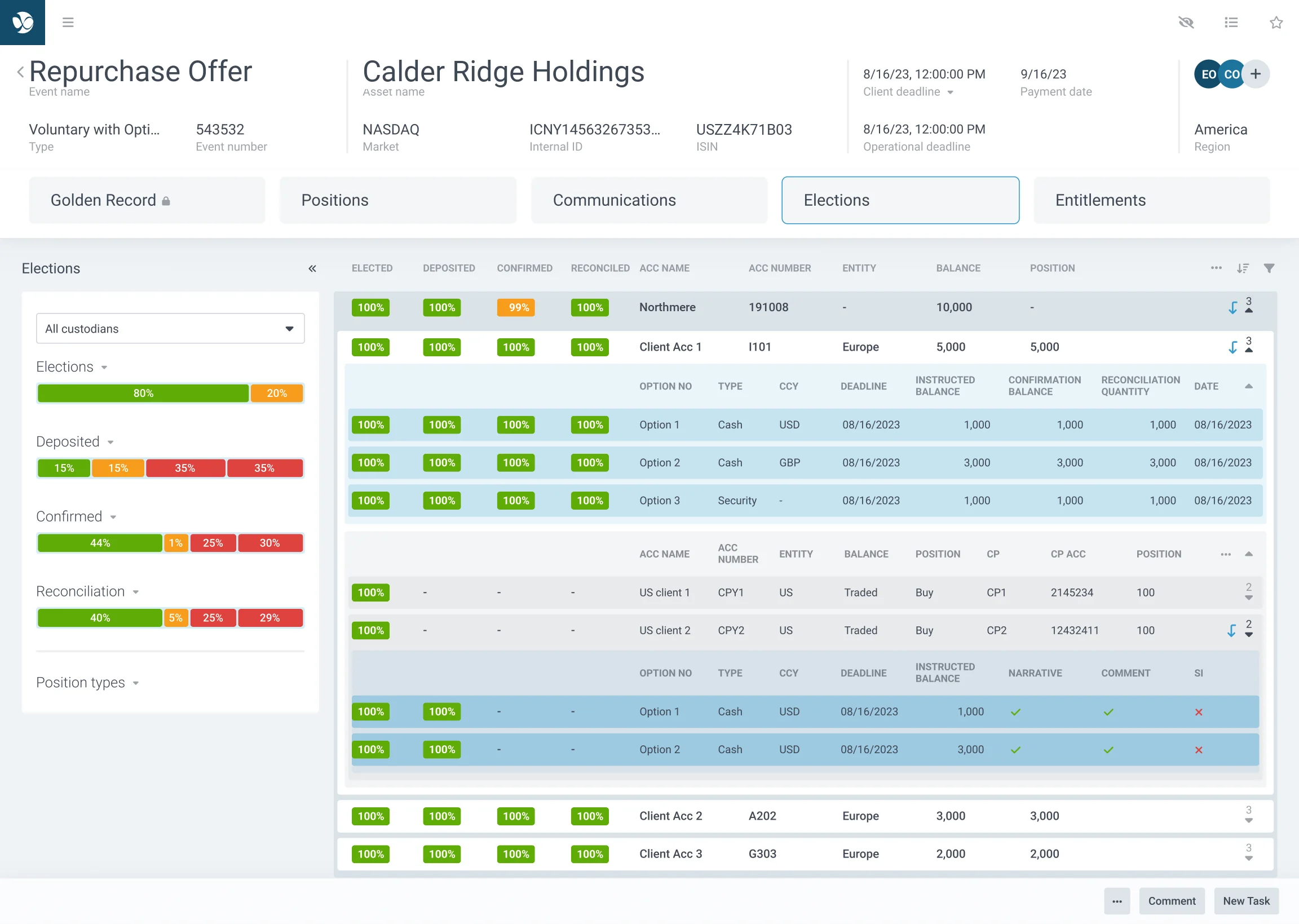
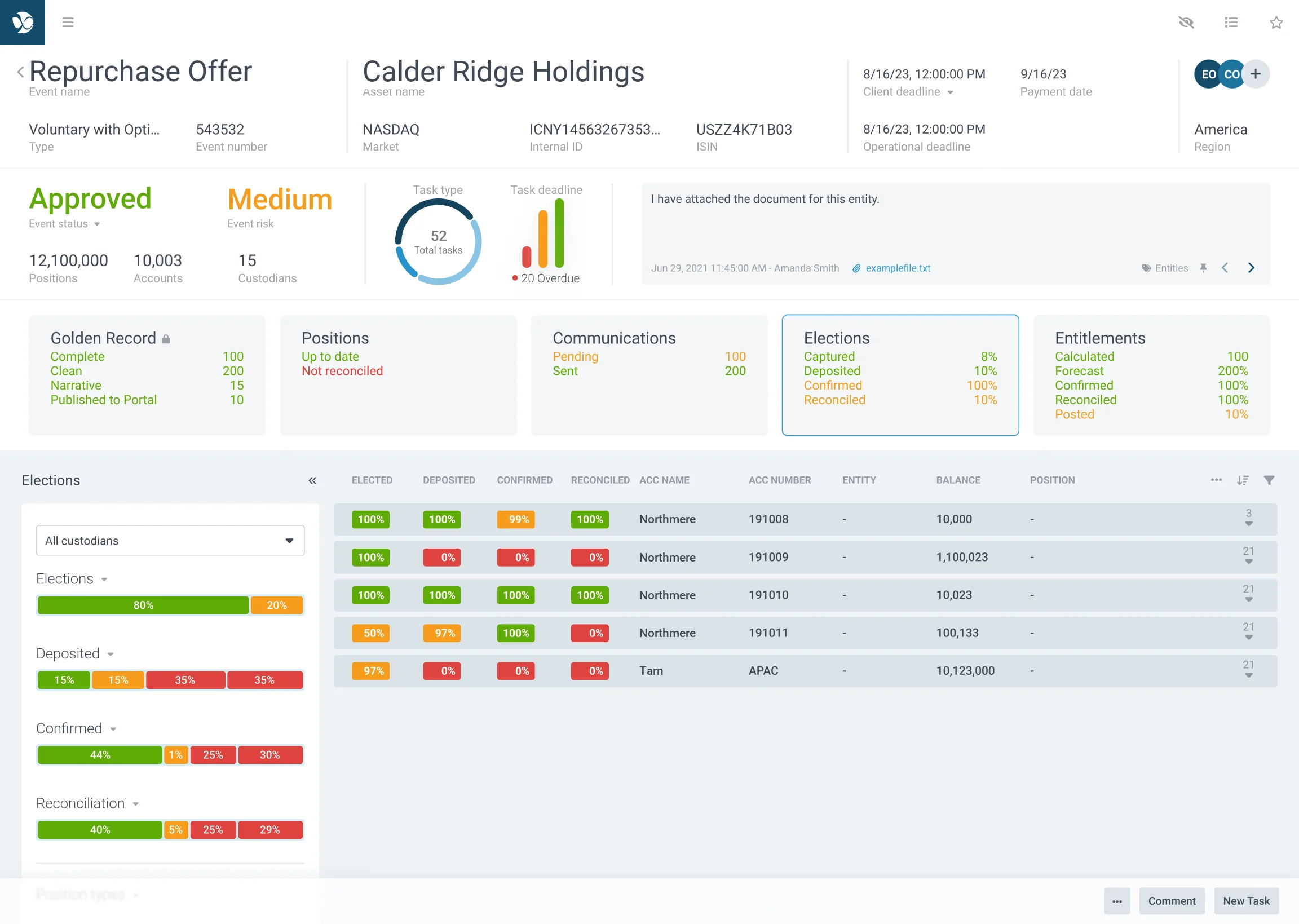
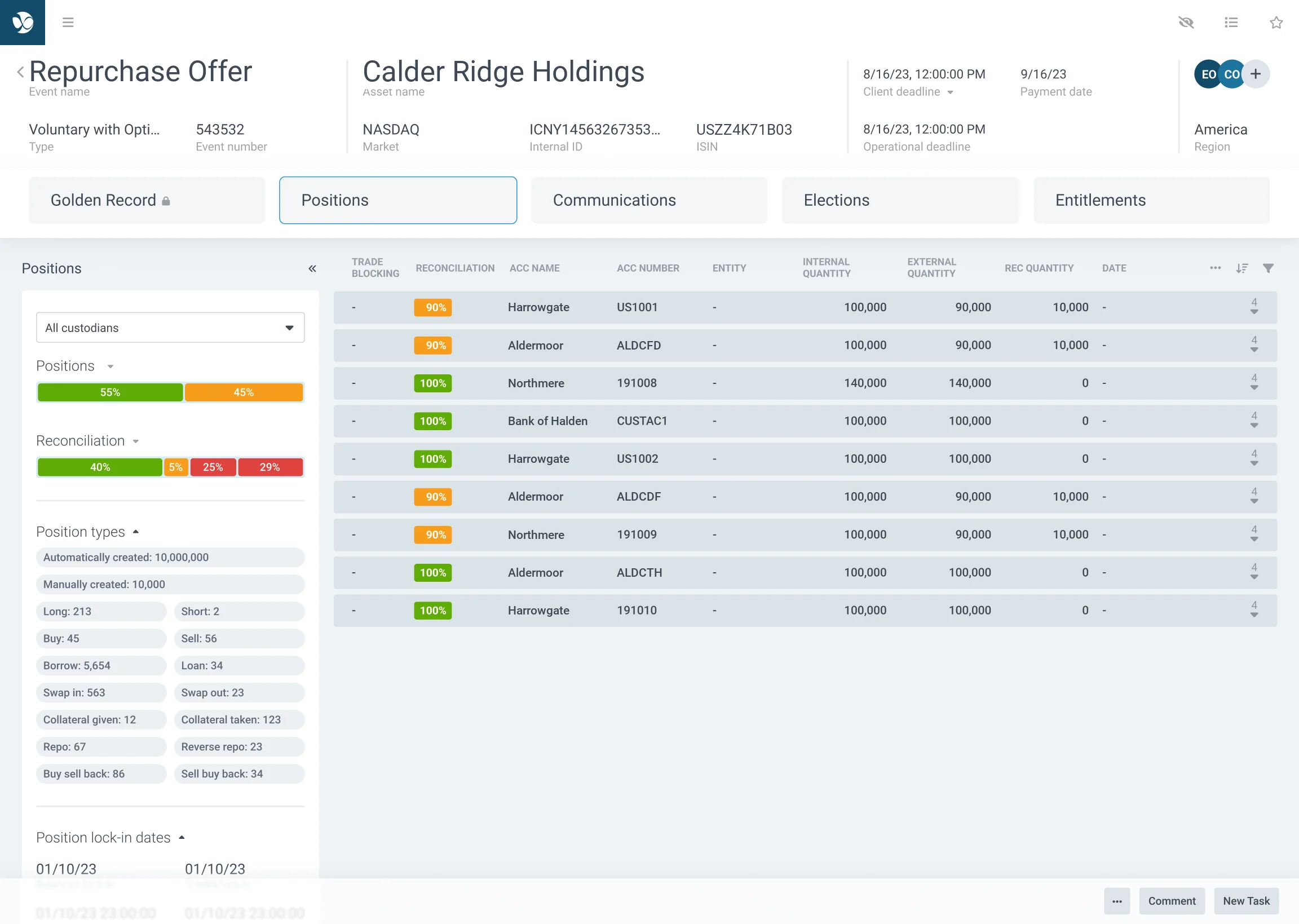
Flat grids made it hard to build a mental model of an event, and hierarchies were easier to scan, so tidying the columns of one wide table wouldn’t have been enough. Positions now sit under custodian, then account, with status counts on every row.
Lifecycle stages
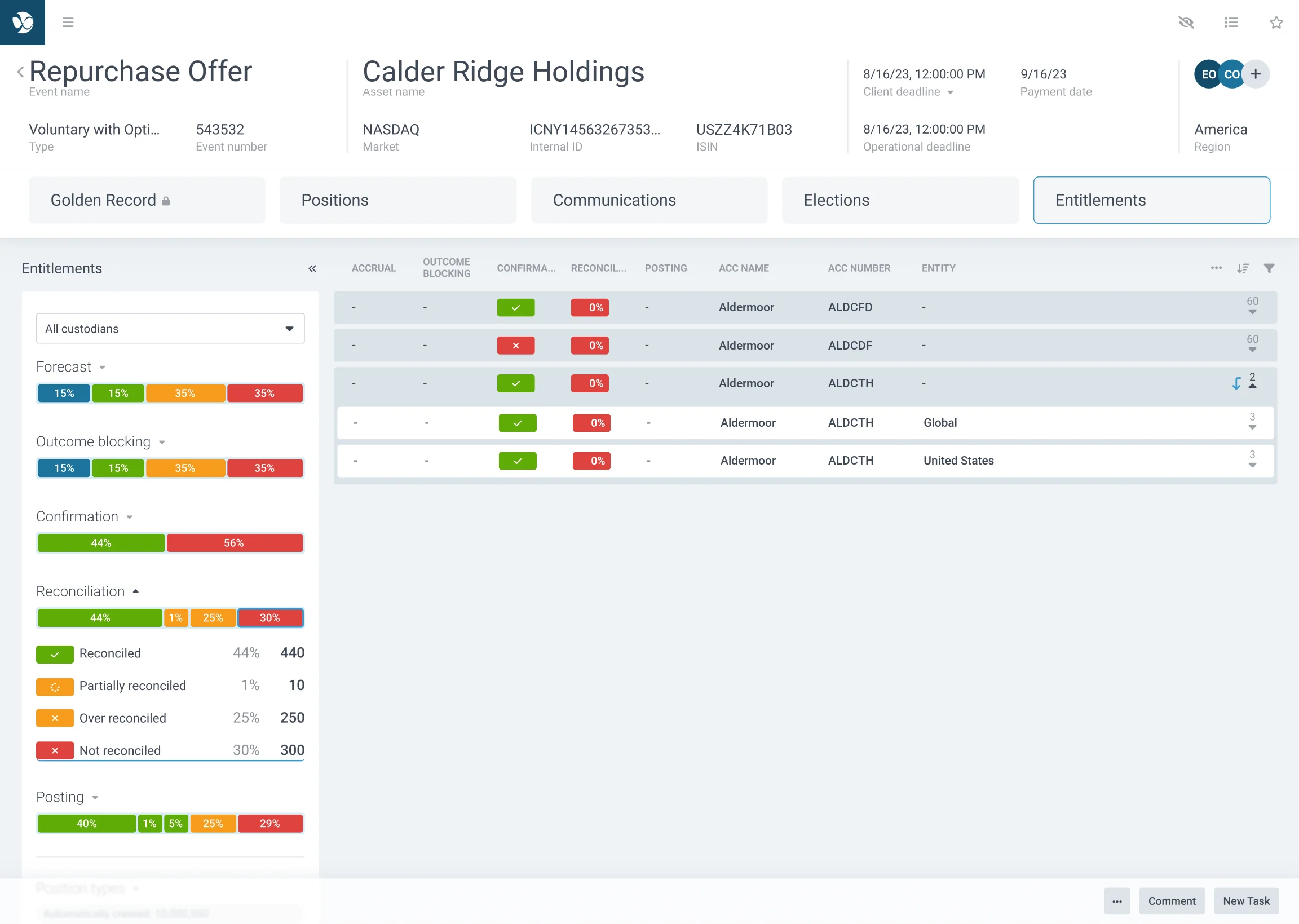
More configurable filters would have been straightforward to add, but operators rarely build their own views when they’re working against a deadline. Pre-filtered stages, from golden record through to entitlements, do that work for them.
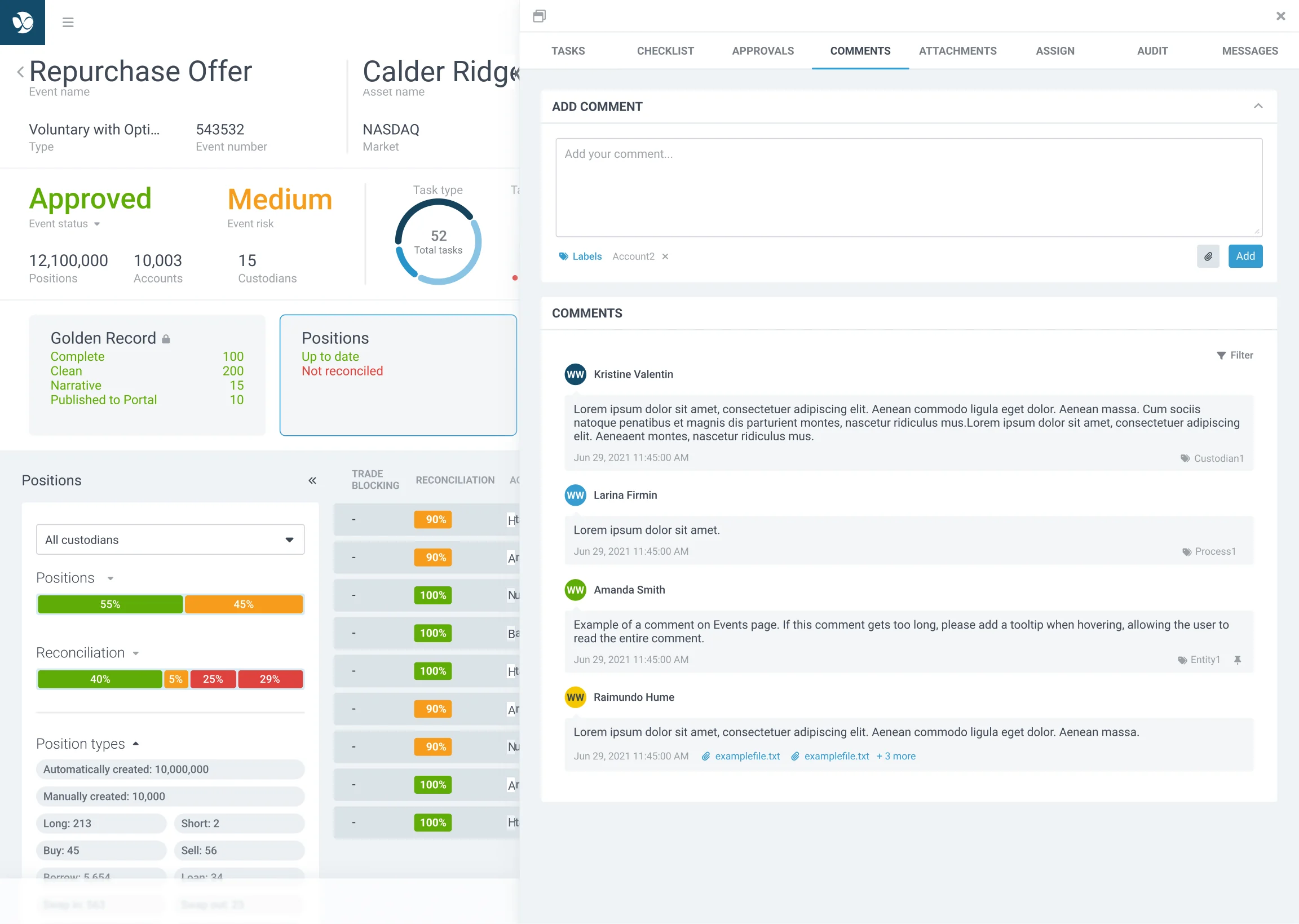
Suggested comments
Operators rarely wrote comments because writing interrupted time-critical work. Free text stays for the specific case, and AI-assisted suggestions cover the situations that come up again and again.
Click through it
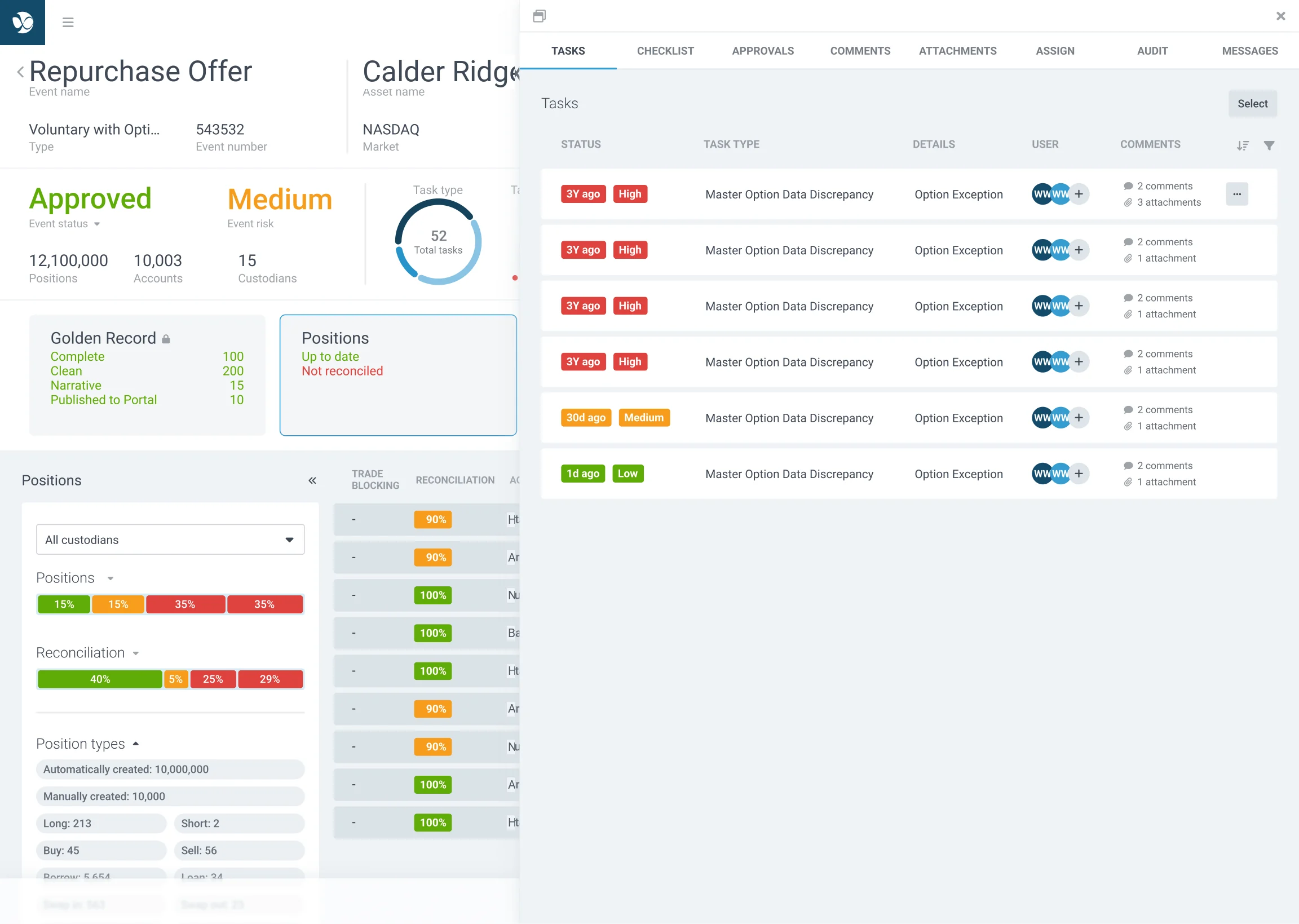
Frames from the Figma prototype, joined up. Use the labels, or click the cards and buttons in the screen, the way you would in the product.
Testing
I tested high-fidelity prototypes with the same clients and took out complexity before development began. That avoided an estimated £50,000 of development rework: the developer time the same changes would have taken after build.